migration-tools User Guide
Introduction
This document mainly describes how to use the server migration software (migration-tools), helping users smoothly migrate from the original system (CentOS 7 or CentOS 8) to UnionTech OS Server. migration-tools provides a web UI for operations, so that users can perform migration operations conveniently in a graphical interface.
Deployment Method
Deploy the server on the openEuler 22.03-LTS-SP4 server, and deploy the agent on the CentOS 7 or CentOS 8 server to be migrated.
Supported Systems for Migration
Migration of CentOS series systems on the AMD64 and ARM64 architectures to UOS is supported. You need to prepare the complete repository of the target system before migration.
openEuler migration: Currently, only migration from CentOS 7.4 CUI to openEuler 20.03-LTS-SP1 is supported.
Migrating an original system on which i686 architecture RPM packages are installed is not recommended. If such an original system is migrated, the migration will fail.
| Original System | Target System | Software Repository Used |
|---|---|---|
| centos 7.4 cui | openEuler 20.03-LTS-SP1 | openEuler public repository |
| centos 7.0 to 7.7 | UOS 1002a | UOS 1002a (complete repository) |
| centos 8.0 to 8.2 | UOS 1050a | UOS 1050a (complete repository) |
Usage Instructions
Installation and Configuration
Installing migration-tools-server
Disable the firewall.
shellsystemctl stop firewalldInstall migration-tools-server.
shellyum install migration-tools-server -yModify the configuration file.
shellvim /etc/migration-tools/migration-tools.conf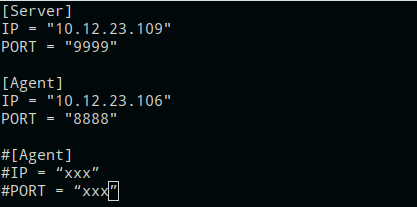
Restart the migration-tools-server service.
shellsystemctl restart migration-tools-serverDistribute the agent software package.
Select the software package to distribute based on the version of the system to be migrated.
CentOS 7 series:
xx.xx.xx.xx indicates the IP address of the migration machine.
shellscp -r /usr/lib/migration-tools-server/agent-rpm/el7 root@xx.xx.xx.xx:/rootCentOS 8 series:
shellscp -r /usr/lib/migration-tools-server/agent-rpm/el8 root@xx.xx.xx.xx:/root
Migrating the openEuler System
Note: The openEuler system currently supports only standalone script-based migration.
Distribute the migration script from the server to the agent.
shellcd /usr/lib/migration-tools-server/ut-Migration-tools-0.1/centos7/ scp openeuler/centos72openeuler.py root@10.12.23.106:/rootInstall the dependencies required for migration.
shellyum install python3 dnf rsync yum-utils -yStart the migration.
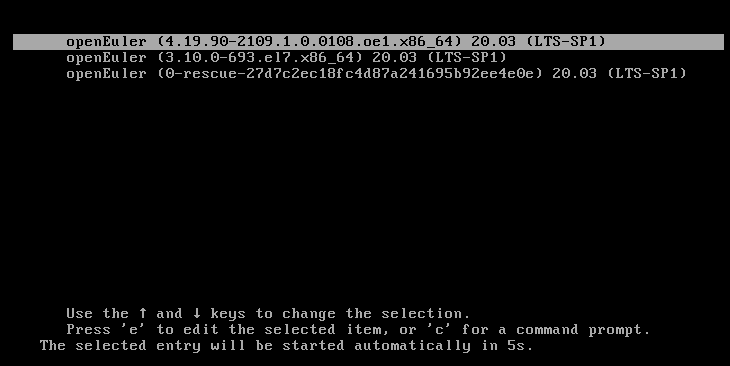
shellpython3 centos7/openeuler/centos72openeuler.pyAfter the migration is complete, the system automatically restarts. After the restart, the migration is complete.
Migrating the UOS System
Installing migration-tools-agent
On the CentOS machine to be migrated, perform the following steps:
Note: Currently, migration-tools supports only migration from CentOS 7.4 CUI to openEuler 20.03-LTS-SP1.
Disable the firewall.
shellsystemctl stop firewalldInstall epel-release (some dependencies are included in the EPEL repository).
shellyum install epel-release -yInstall the migration-tools-agent software package (for the CentOS 7 series, install the software package of the corresponding architecture).
CentOS 7:
shellcd /root/el7/x86_64 yum install ./* -yCentOS 8:
shellcd /root/el8/ yum install ./* -yModify the configuration file.
shellvim /etc/migration-tools/migration-tools.confRestart the migration-tools-agent service.
shellsystemctl restart migration-tools-agent
UOS System Migration Steps
Log in to the web UI.
After the services on both the server and agent are started, open a browser (Chrome is recommended) and enter
https://SERVER_IP:9999in the address bar.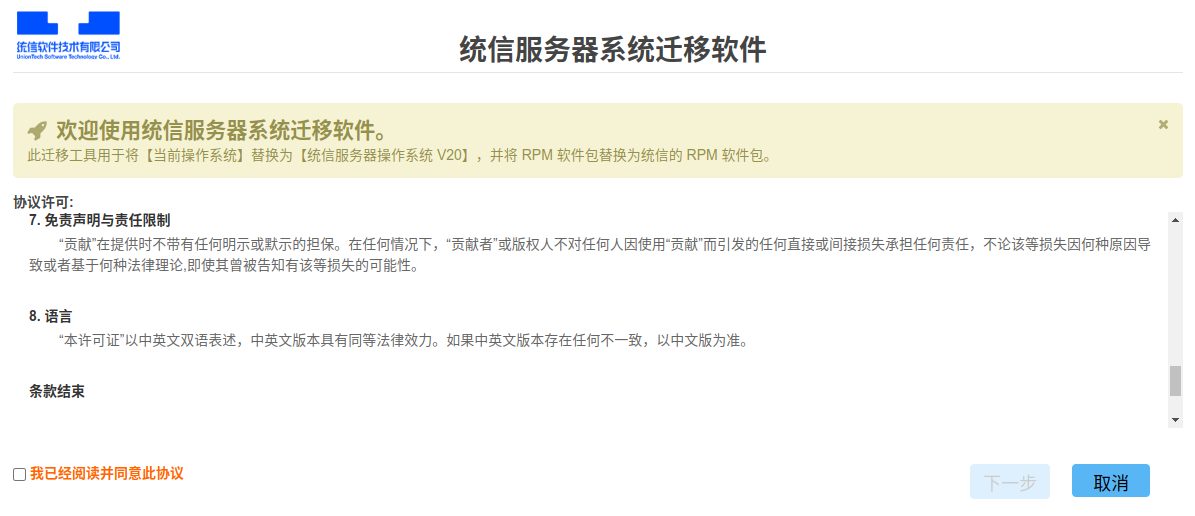
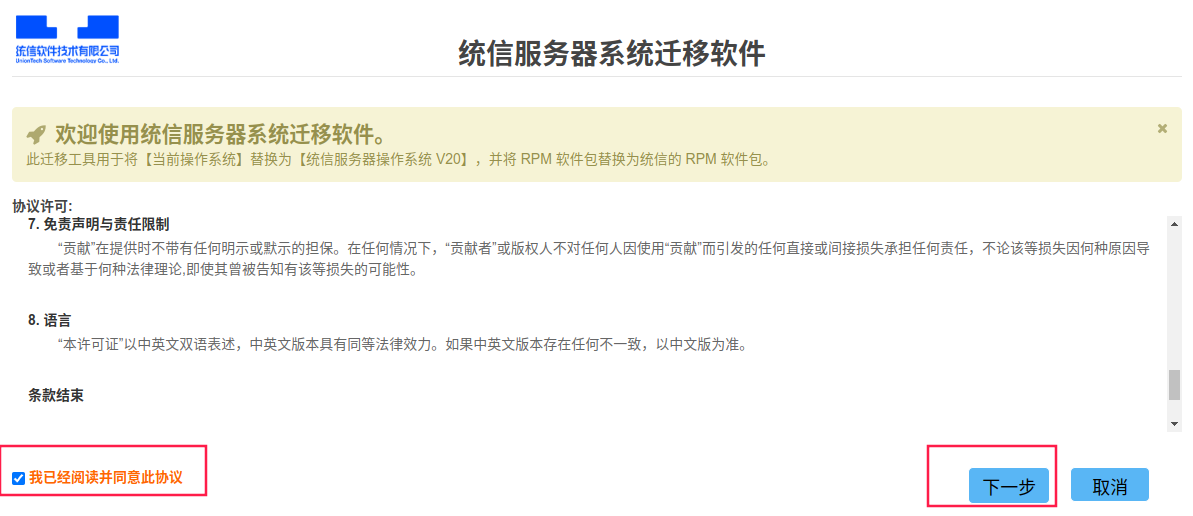
Click "I have read and agree to this agreement", and then click "Next".
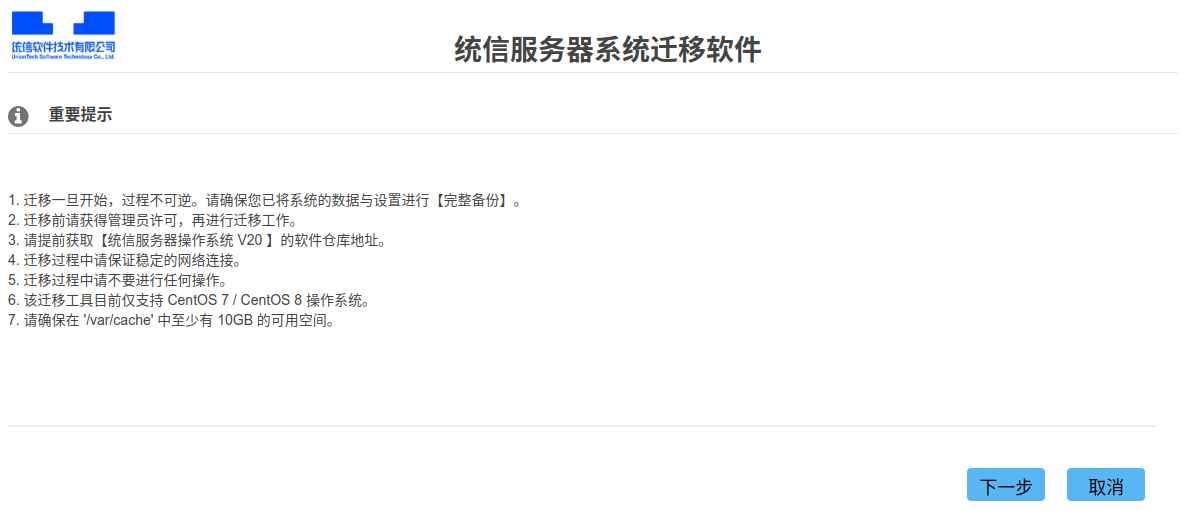
The content of the migration prompt page is as follows. Click "Next".
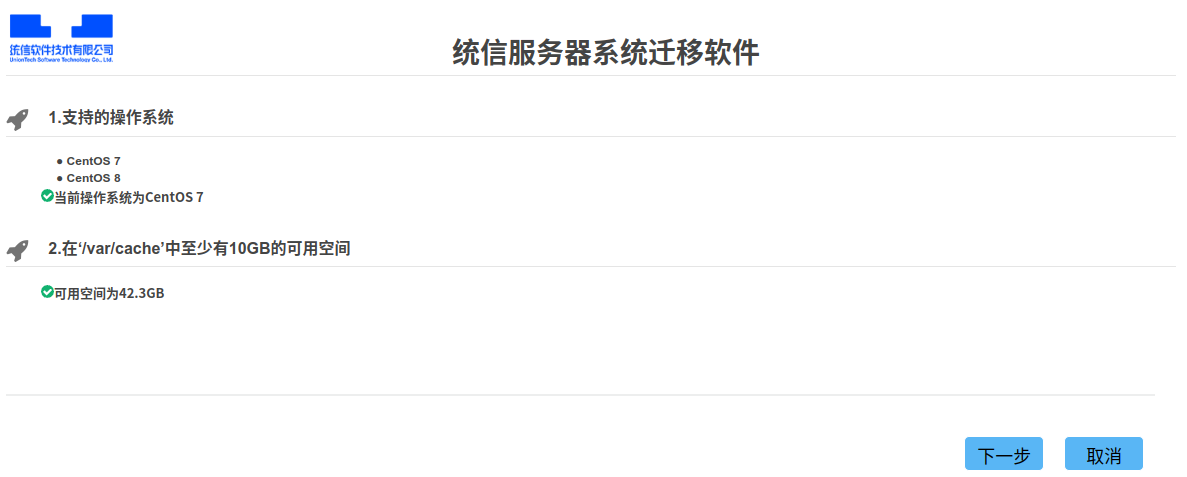
The environment check page checks the system version and the remaining space of the system. After the check is complete, click "Next".
Note: If the check does not respond for a long time, check whether the agent firewall is disabled and whether the server and agent services are enabled.
To perform the check again, refresh the browser.
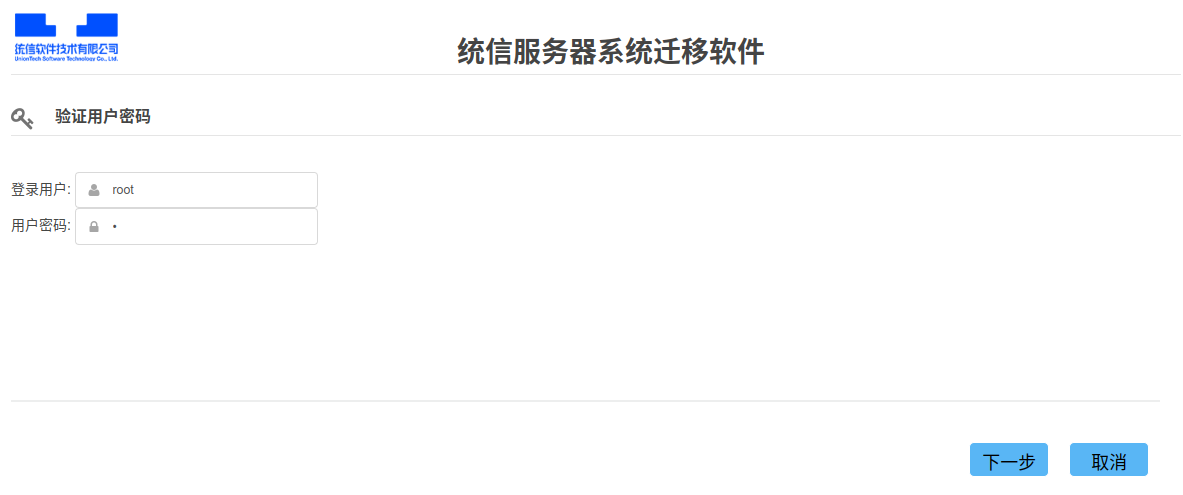
The user check page checks the user name and password. The root user is recommended. Click "Next" to start the check. After the check is complete, the repo configuration page is automatically displayed.
Repo configuration page:
Enter the corresponding repo based on the system to be migrated.
centos7:1002a,centos8:1050aEnsure that the software repository used is a complete repository. Otherwise, the migration will fail.
Only one software repository path needs to be entered in the input box.
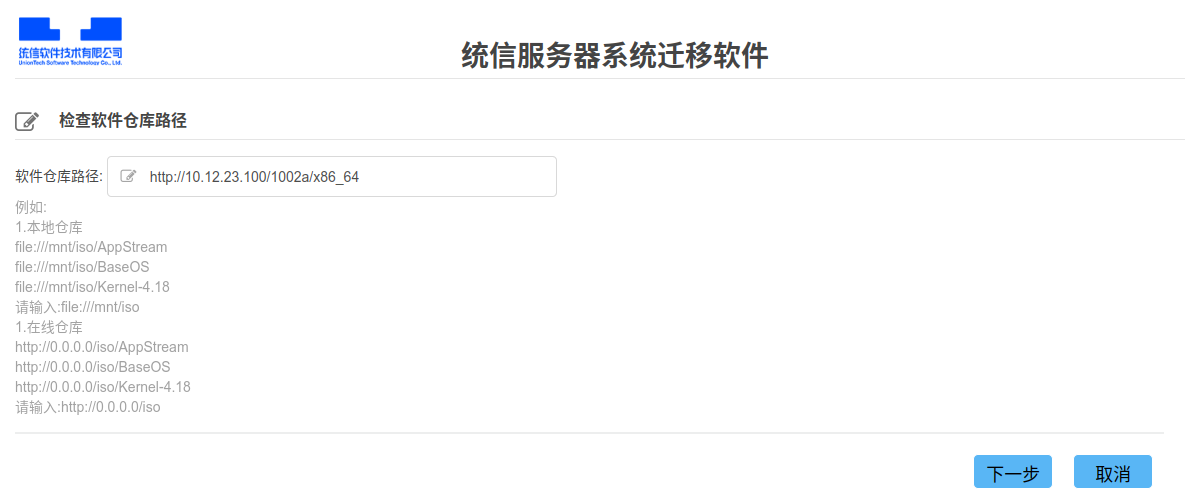
After the input is complete, click "Next". After the software repository connectivity check is complete, the kernel version selection page is displayed. Select the 4.19 kernel and click "Next".

On the migration environment check page, you can compare the software package differences before and after the migration and export a check report after the check is complete.
Note: The check takes about one hour. Please wait patiently.
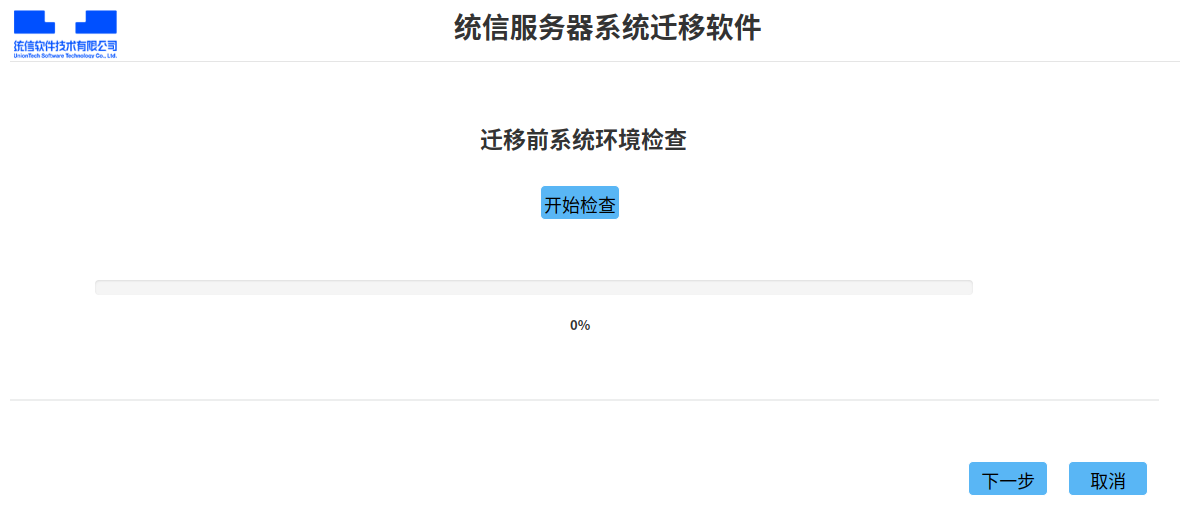
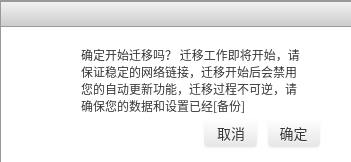
After the check is complete, click "Next", and the system migration "Confirm" dialog box is displayed. Ensure that the system has been backed up, and click Confirm to start the system migration.
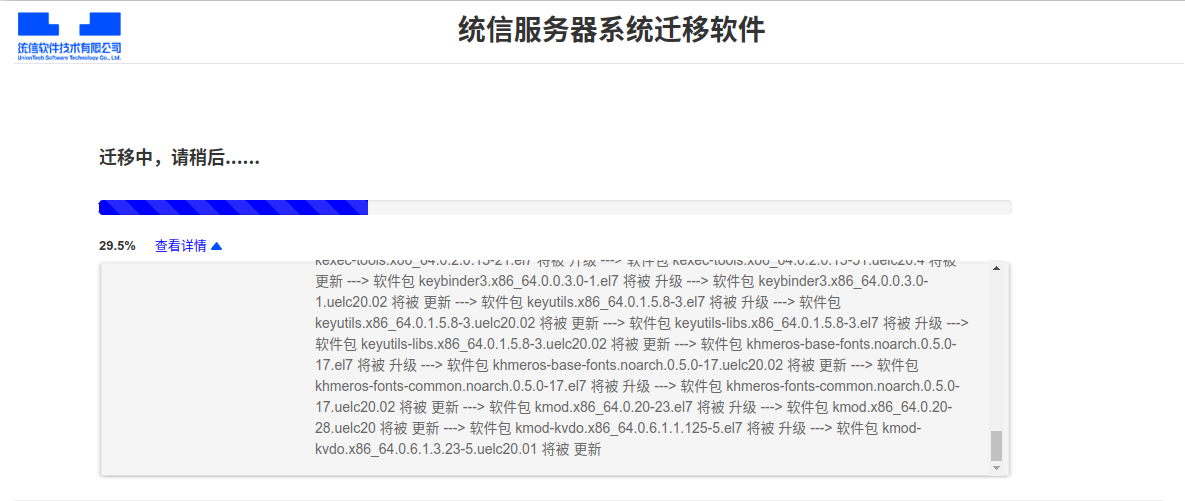
After you click "Confirm", the system migration page is displayed.

You can click "View Details" to view the migration status.
After the migration is complete, the page switches to the migration completion page, where you can export the migration analysis report and migration logs.
After the export, you can find the package of the report and logs in the /var/tmp/uos-migration/ directory on the server. Decompress the package to view the report and logs.
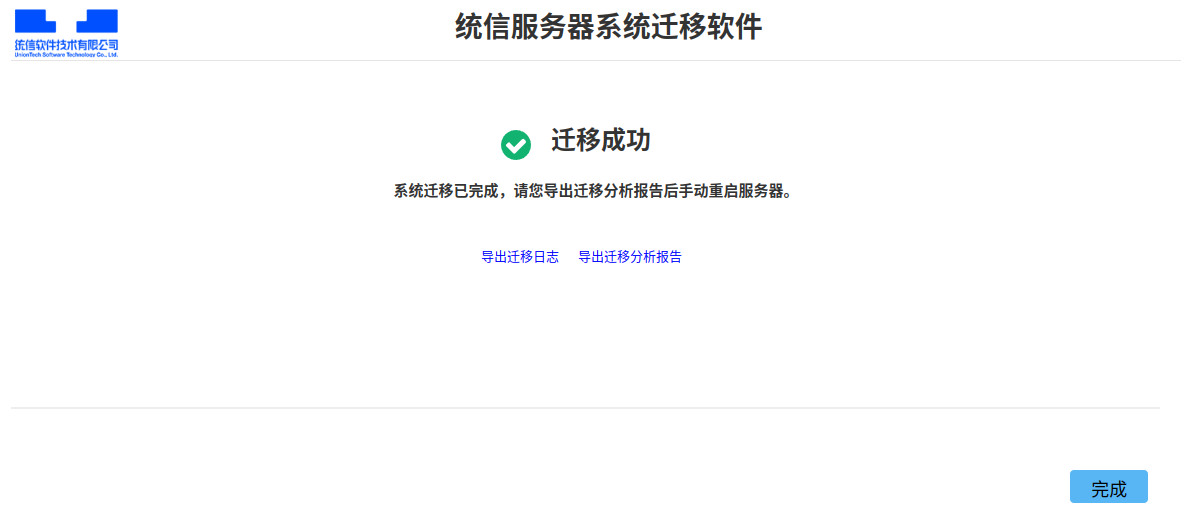
After the migration is complete, manually restart the agent machine and verify whether the migration is complete.
Verification Steps
Run the following command to check whether the OS version has been migrated to the target OS.
uosinfoIf the following information is displayed, the migration is successful.
1002a:
  #################################################
  Release:  UnionTech OS Server release 20 (kongli)
  Kernel :  4.19.0-91.77.97.uelc20.x86_64
  Build  :  UnionTech OS Server 20 1002c 20211228 x86_64
  #################################################
1050a:
  #################################################
  Release:  UnionTech OS Server release 20 (kongzi)
  Kernel :  4.19.0-91.82.88.uelc20.x86_64
  Build  :  UnionTech OS Server 20 1050a 20220214 x86_64
  #################################################
版权所有 © 2026 openEuler 保留一切权利
京ICP备2020036654号-1
京公网安备 11030102011597 号