EFI Variables Installation Errors
1. Failed to Create EFI Boot Entry
Context
The installer displays a warning about being unable to create an EFI boot entry, though installation can continue after dismissing the alert. 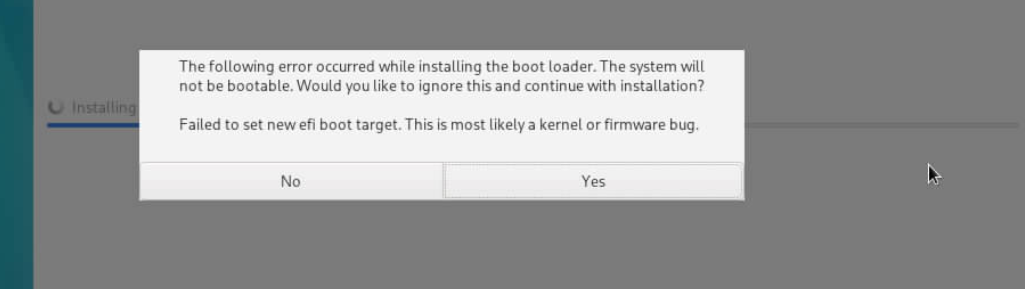
Symptom
Access the terminal (Ctrl+Alt+F2) and examine /tmp logs.
storage.log reports "no space left" errors.

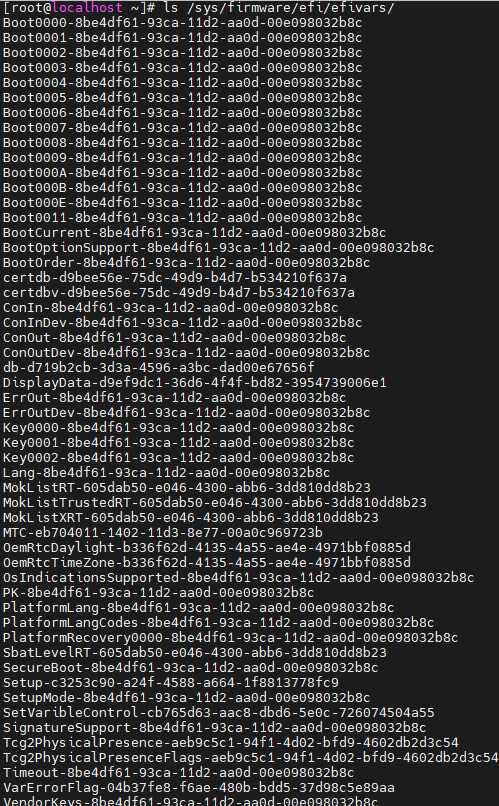
The /sys/firmware/efi/efivars/ directory contains an excessive number of boot entries.
Possible Causes
The BIOS variable storage area has reached capacity, preventing new EFI boot entries.
Resolution
Clear the BIOS variable cache.
2. Mount Error 32
Context
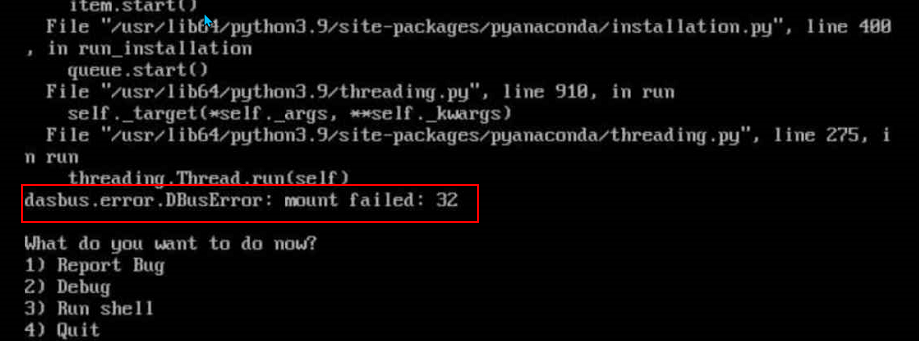
The installer fails with "mount failed: error 32" during operation.
Symptom
The error occurs when /sys/firmware/efi/efivars/ is mounted.
Access the terminal (Ctrl+Alt+F2) and examine /tmp logs.
storage.log reports space allocation failures.
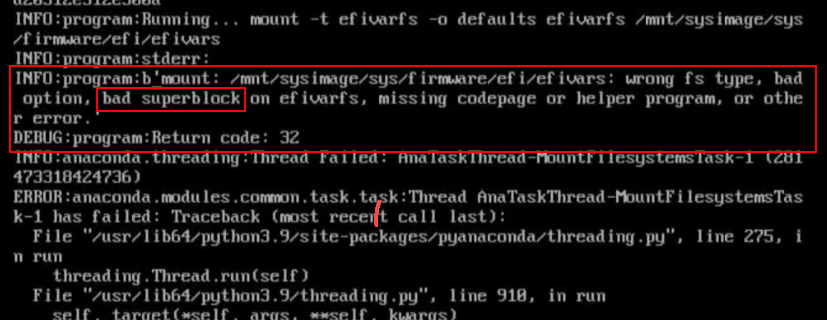
Error messages suggest potential file system corruption (bad superblock) in efivarfs, requiring BIOS-level investigation.
Possible Causes
Hardware-related BIOS abnormalities or corrupted variable storage in flash memory cause UEFI variable service failures, leading to mount errors during OS installation.
Resolution
Re-flash the BIOS firmware.
版权所有 © 2026 openEuler 保留一切权利
京ICP备2020036654号-1
京公网安备 11030102011597 号