utshell User Guide
Introduction
utshell is a shell compatible with Bash, capable of executing basic built-in commands and starting external commands. It also implements functions such as task, pipe, and signal processing.
Installation and Uninstallation
Installing utshell
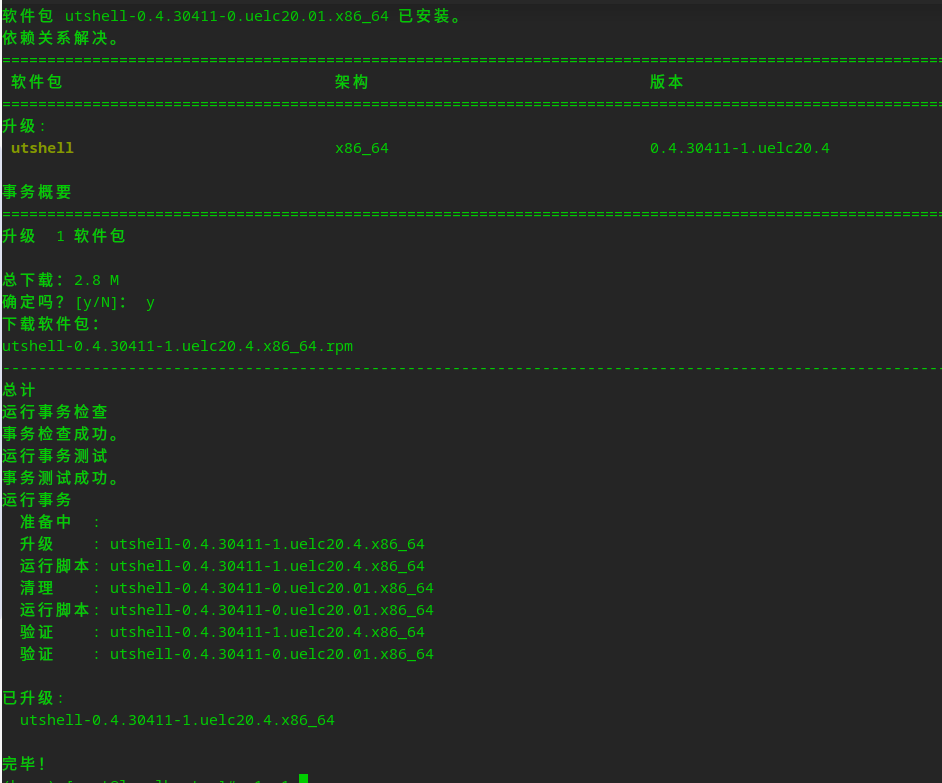
Run the rpm command to install utshell. Assume that openEuler 23.09 is used.
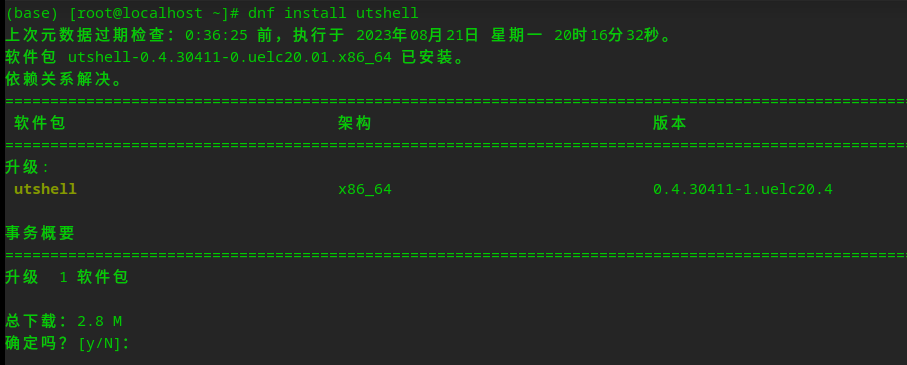
Enter y as prompted to install.
Uninstalling utshell
Run rpm -e utshell to uninstall utshell.
rpm -e utshell
Usage
Using Common Commands
In the utshell environment, enter a command to execute.
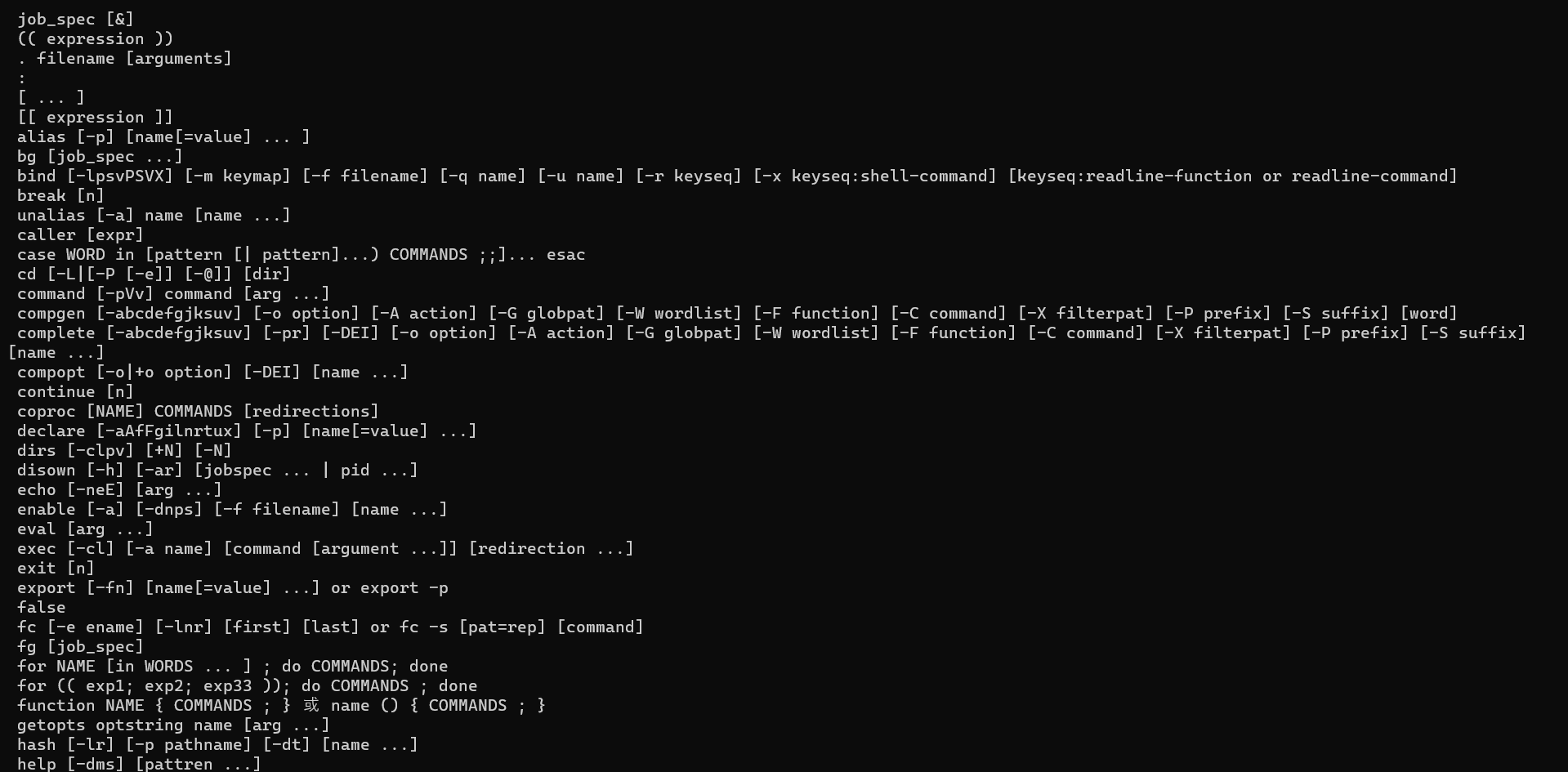
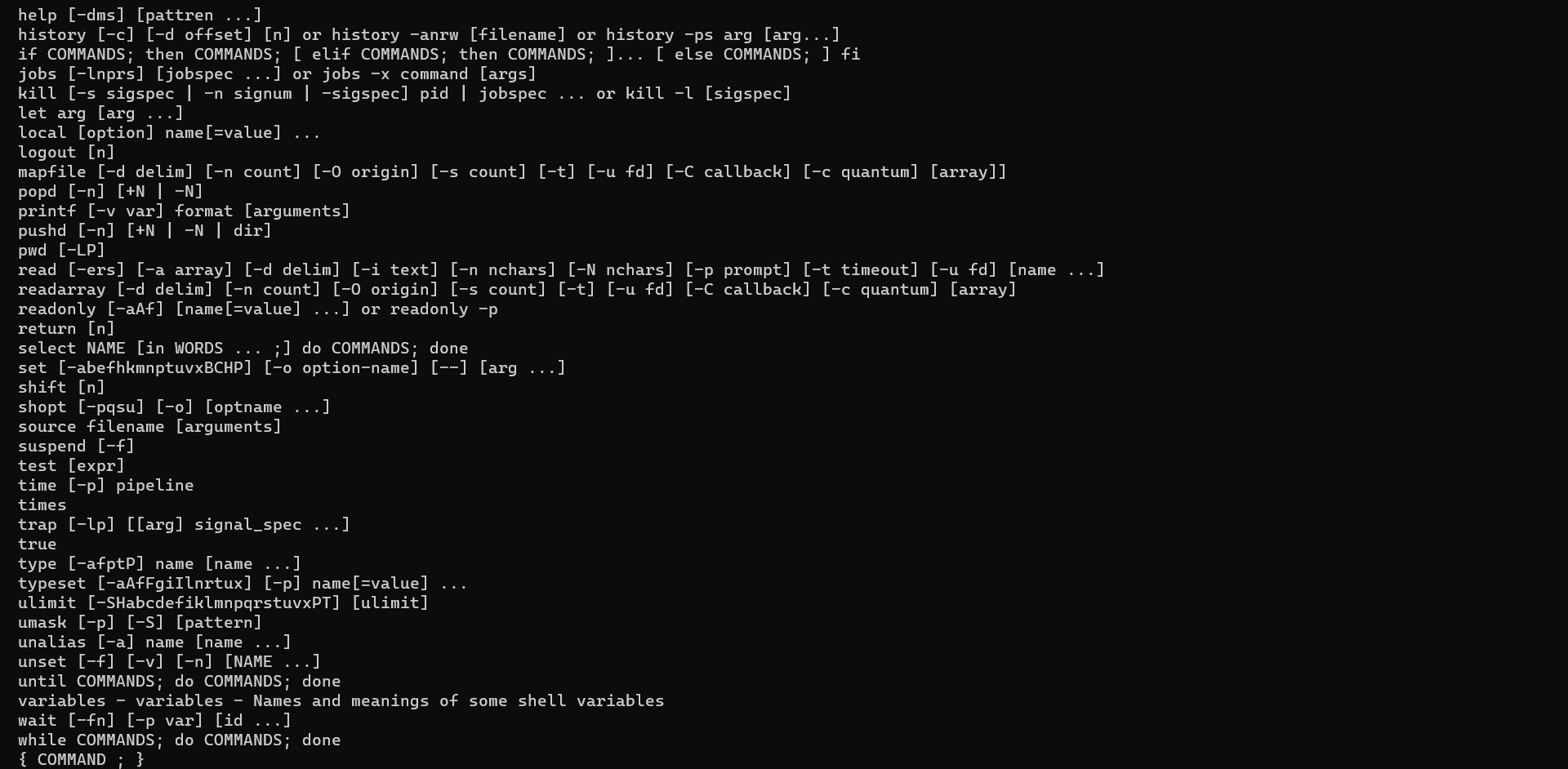
utshell has the following built-in commands:
Defining and Using Variables
Defining a Variable
Use = to define a variable. No space is allowed in the expression.
var=4Using a Variable
echo ${var}Defining and Using Arrays
Defining an Array
distros=(ubuntu fedora suse "arch linux")Using an Array
echo ${distros[2]}Defining and Using Functions
Defining a Function
func() { echo $1; }Using a Function
func 1Passing Parameters to a Function
When calling a function, use a space to separate the function and the parameters.
func firstParam secondParamIn the function body, use ${number} to represent the parameters, for example, $1 for the first parameter and $2 for the second parameter. For the tenth and subsequent parameters, the number must be enclosed in braces.
func() {
echo $1 ${10} # Ten parameters are required.
}
# Call the function.
func 1 2 3 4 5 6 7 8 9 0
Using Logical Conditions
if
The syntax is as follows:
if condition; then
do-if-true;
elif second-condition; then
do-else-if-true
elif third-condition; then
do-else-if-third-true
else
do-else-false
fi
condition can be a command, for example:
if [ "$s" = "string" ]; then
echo "string is equivalent to $s"
else
echo "string is not equivalent to $s"
fi
condition can also be a conditional operator.
Some conditional operators are as follows.
-f: Checks whether a file exists and is a regular file.
-d: Checks whether the provided argument is a directory.
-h: Checks whether the provided argument is a symbolic link.
-s: Checks whether a file exists and is not empty.
-r: Checks whether a file is readable.
-w: Checks whether a file is writable.
-x: Checks whether a file is executable.
The following conditional operators can be used for comparing numbers.
-lt: less than
-gt: greater than
-ge: greater than or equal to
-le: less than or equal to
-ne: not equal to
The following conditional operators can be used for comparing strings.
==: Whether two strings are identical.
=: Whether two strings are identical (same as ==).
!=: Whether two strings are different.
-z: Returns true if the string is empty.
-n: Returns true if the string length is not 0.
Using Loops
for
for number in 1 2 3 4 5
do
echo $number
done
# When used with a list:
for number in {1..500..2}
do
echo $number
done
{1..500..2} indicates that the start number is 1, the end number is 500 (included), and the step is 2.
until
until [condition]; do
commands
done
When the condition is true, the loop is executed.
while
while [ condition ]; do
commands
done
When the condition is true, the loop is executed.
Licensed under the MulanPSL2
 J.G.W.A.B. No. 11030102011597