Rebranding FAQ
1. Installation Failure with Boot Loader Configuration Write Error
Context
The installation fails when rebranding operations are performed using openEuler system packages.
Symptom
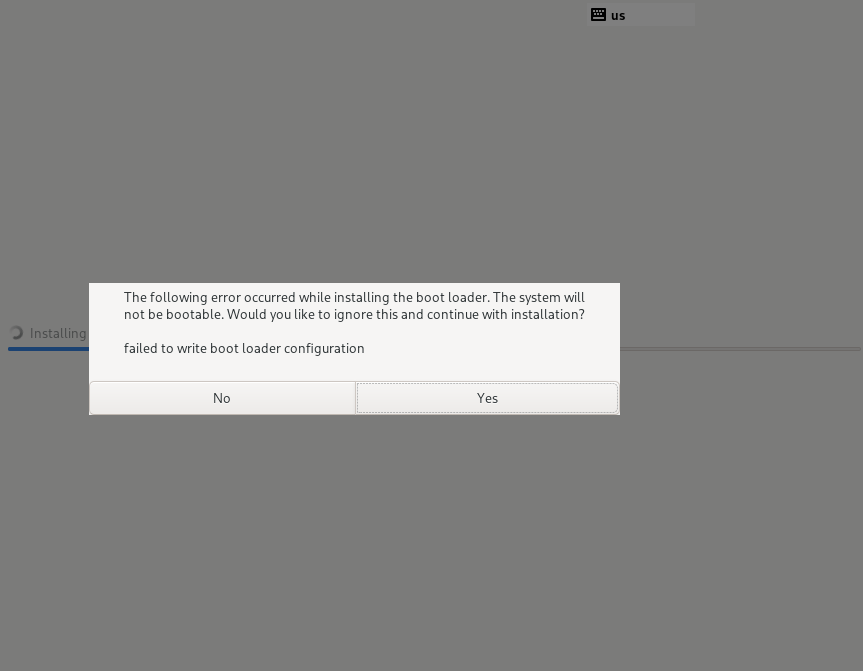
Image installation fails with error "Unable to write boot loader configuration."
Possible Causes
Switching to the background terminal with Ctrl+Alt+F2 reveals the following in /tmp/anaconda.log:
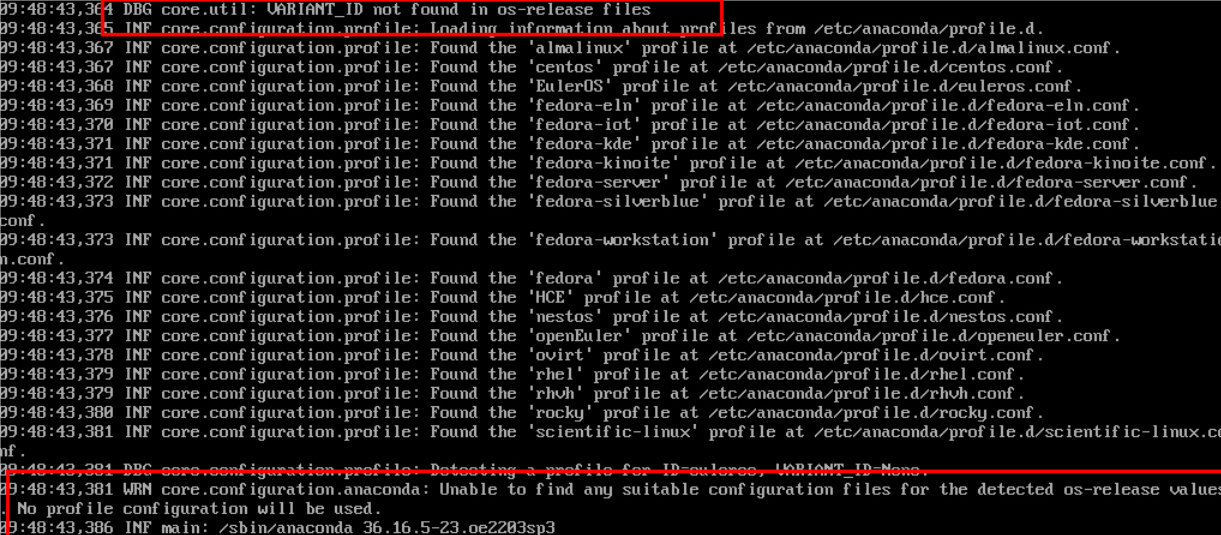
The logs indicate the bootloader configuration file cannot be found. This occurs because the installation process verifies the ID and VARIANT_ID values in the /etc/os-release file.

Solution
Modify the os_id and variant_id parameters under Profile Detection in the openEuler.conf file of Anaconda to match those in the os-release file of the rebranded system.

2. Installation Completes but System Fails to Boot
Context
Following rebranding, the system image installs correctly but becomes unbootable post-installation.
Symptom
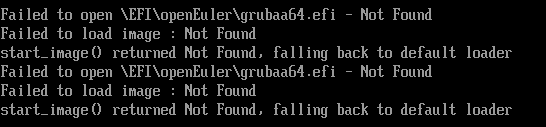
Startup fails with an "EFI boot file not found" error.
Possible Causes
Rebranding of software packages is incomplete, particularly affecting the GRUB bootloader configuration.
Resolution
Verify boot entries for configuration errors:
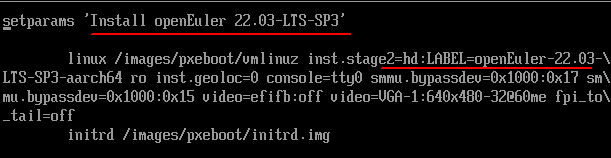
See System File Recovery FAQ for adjusting boot configurations after entering the system.
Permanently fix it by updating grub.cfg in the build environment.
3. tk Installation Fails During Post-Rebranding Kernel Build
Context
After rebranding, building the openEuler kernel via OBS triggers a tk installation failure.
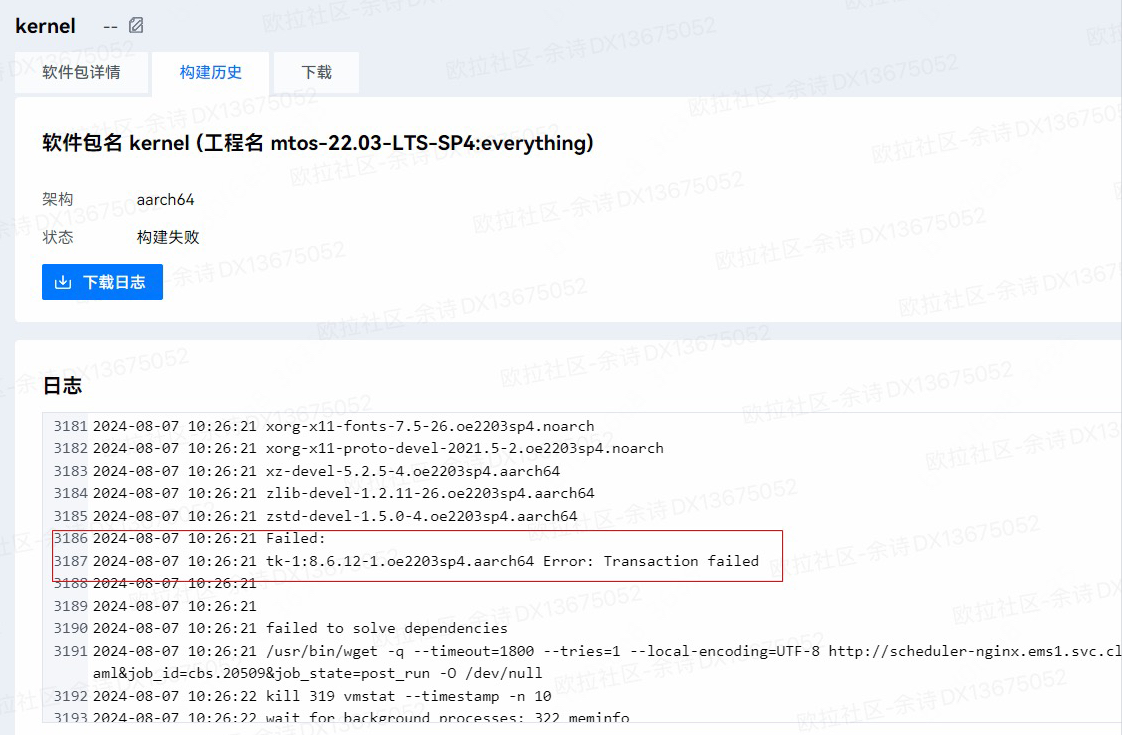
Symptom
Installation verification of the tk package fails, and standalone installation also results in an error. The issue occurs during the %post phase of the component.
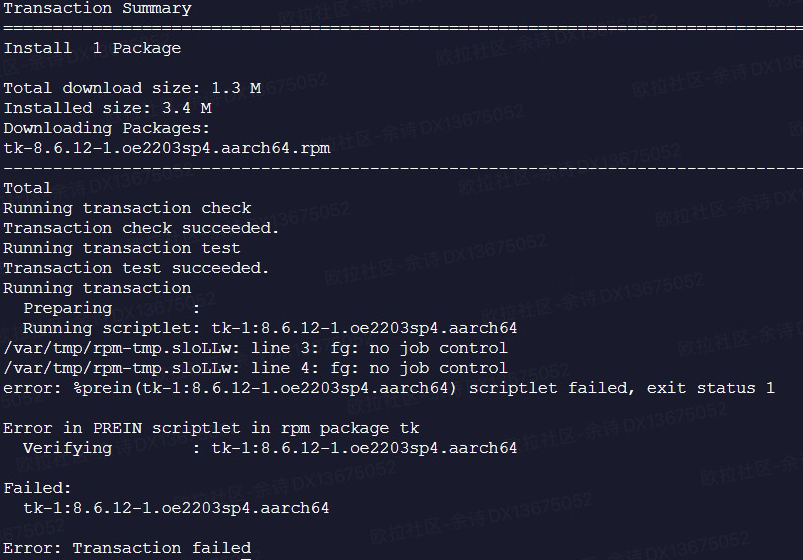
Possible Causes
Unrecognized %ldconfig_post or %ldconfig_postun macros in the spec file are being incorrectly processed as executable scripts.
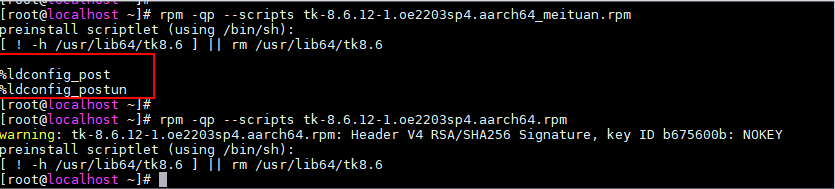
Resolution
Update macro definitions in the rpm-config configuration of the project.
4. POSTTRANS Scriptlet Execution Failure During Installation
Context
POSTTRANS script errors occur when either rebranded software packages or locally built software images are installed.
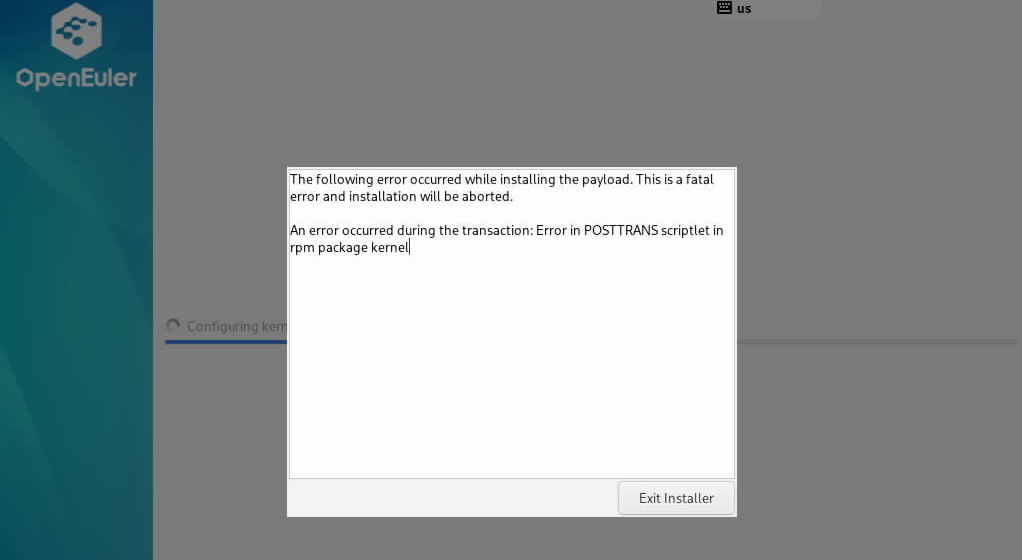
Symptom
- Switch to the background console using Ctrl+Alt+F2 and change root into /mnt/sysroot.
- Run
dnf history info 1to identify the failingPOSToperation.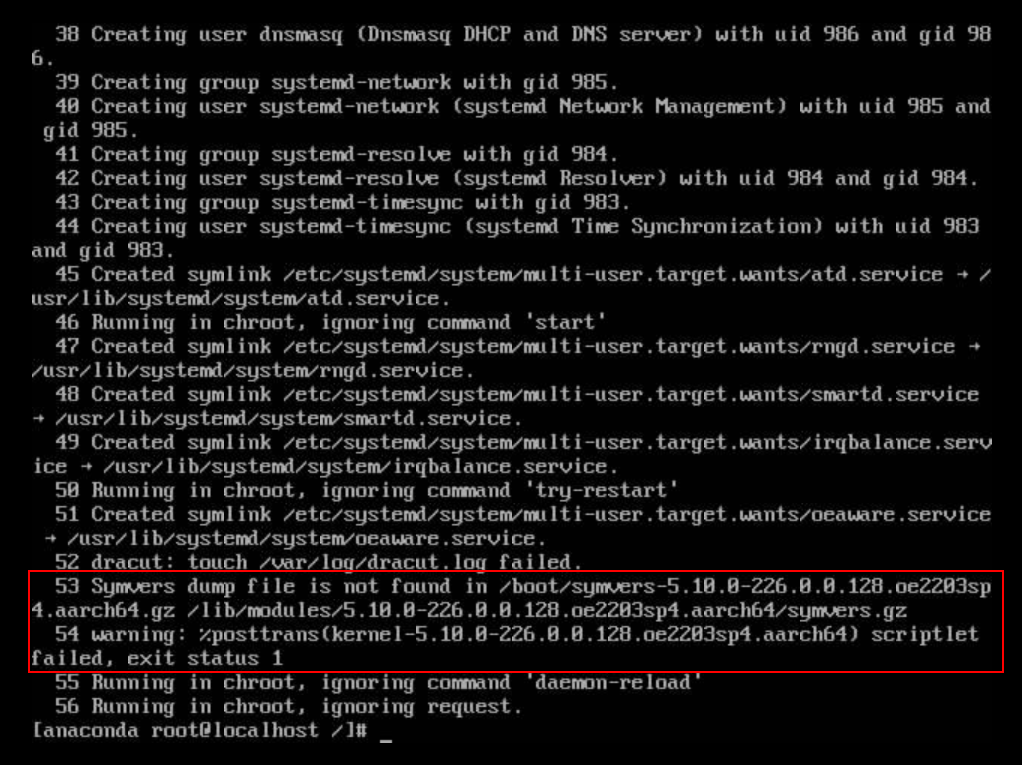
Possible Causes
The %POSTTRANS script fails during package installation due to missing .gz files.
Solution
Analyze the %post script in the package spec file. After local verification of the modified script, retry the installation.
版权所有 © 2026 openEuler 保留一切权利
京ICP备2020036654号-1
京公网安备 11030102011597 号