Automated O&M Service User Manual
Main Functions
This service provides the functions of batch command execution and batch script execution, both of which support scheduled tasks.
Command
The Commands page contains two tabs: Command Management and Command Execution.
Command Management
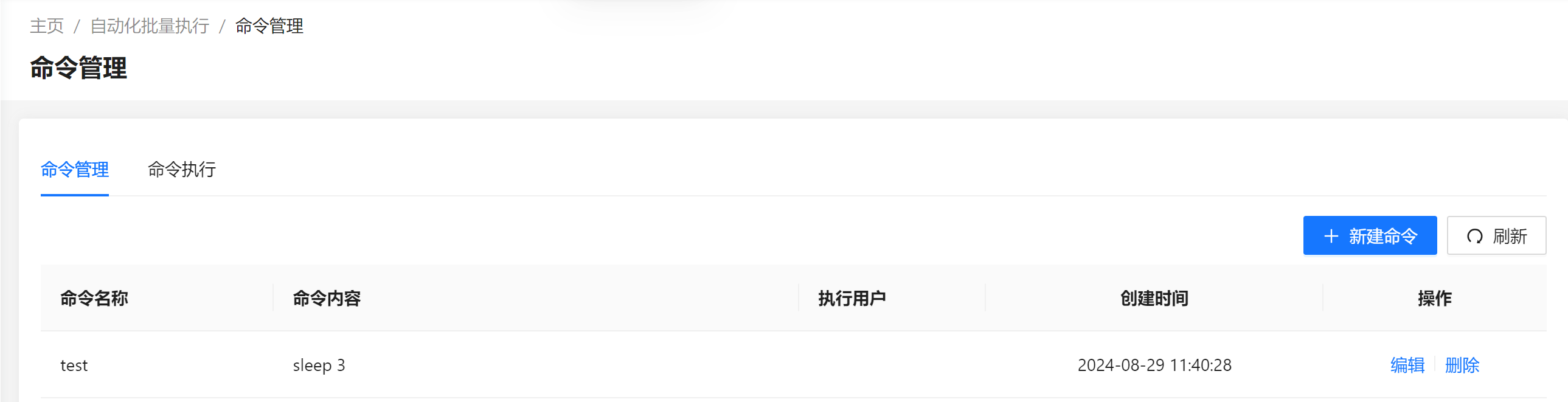
On the Command Management page, you can add, delete, view, and modify commands: 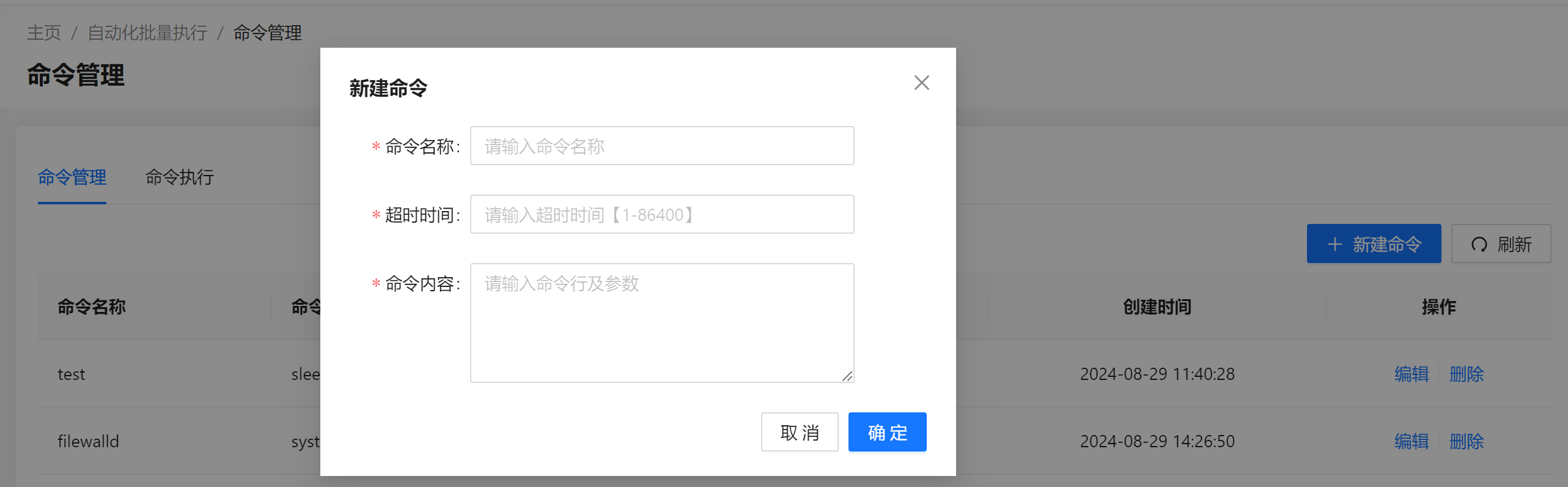
Command Execution
On the Command Execution page, you can create command execution tasks: 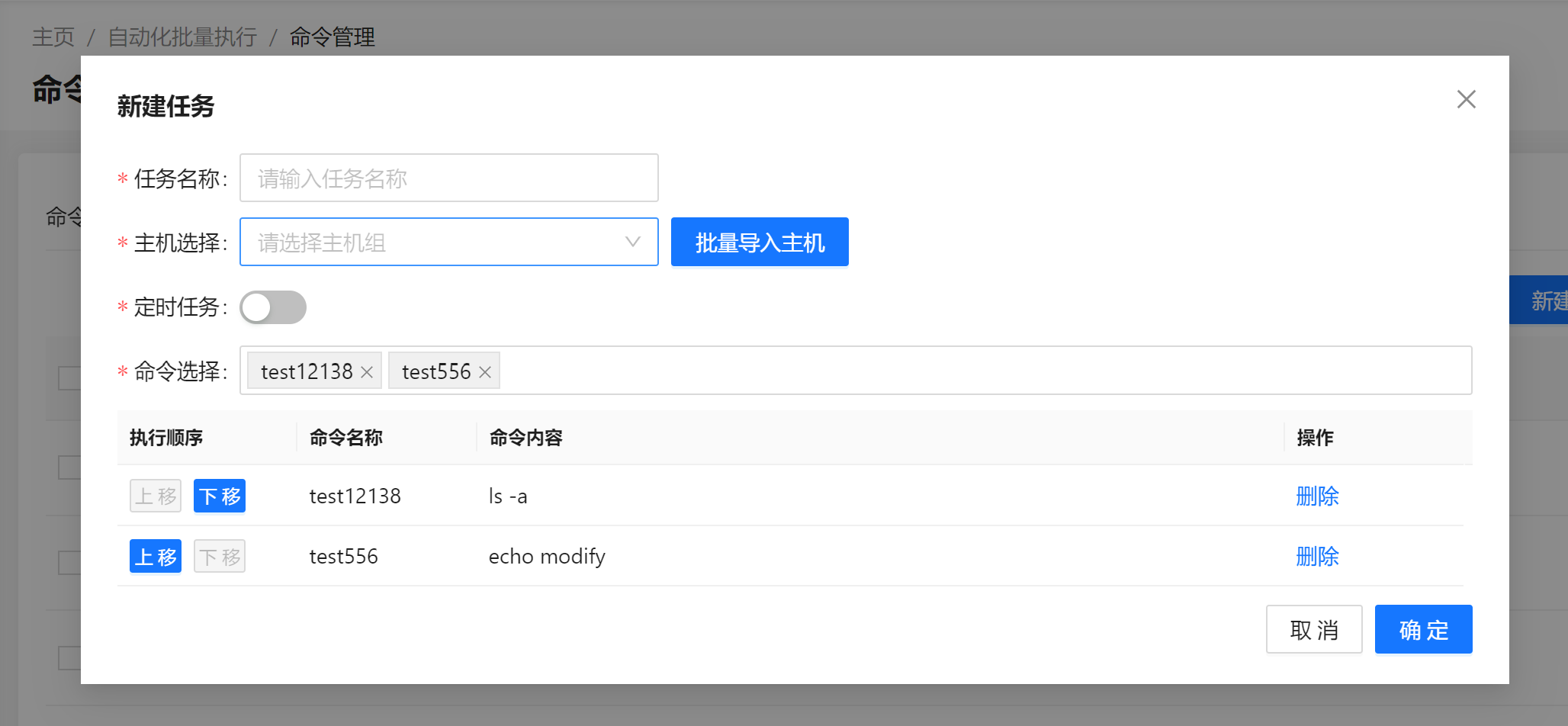
On the Command Execution page, you can view task information, execute tasks, view task results, and delete tasks: 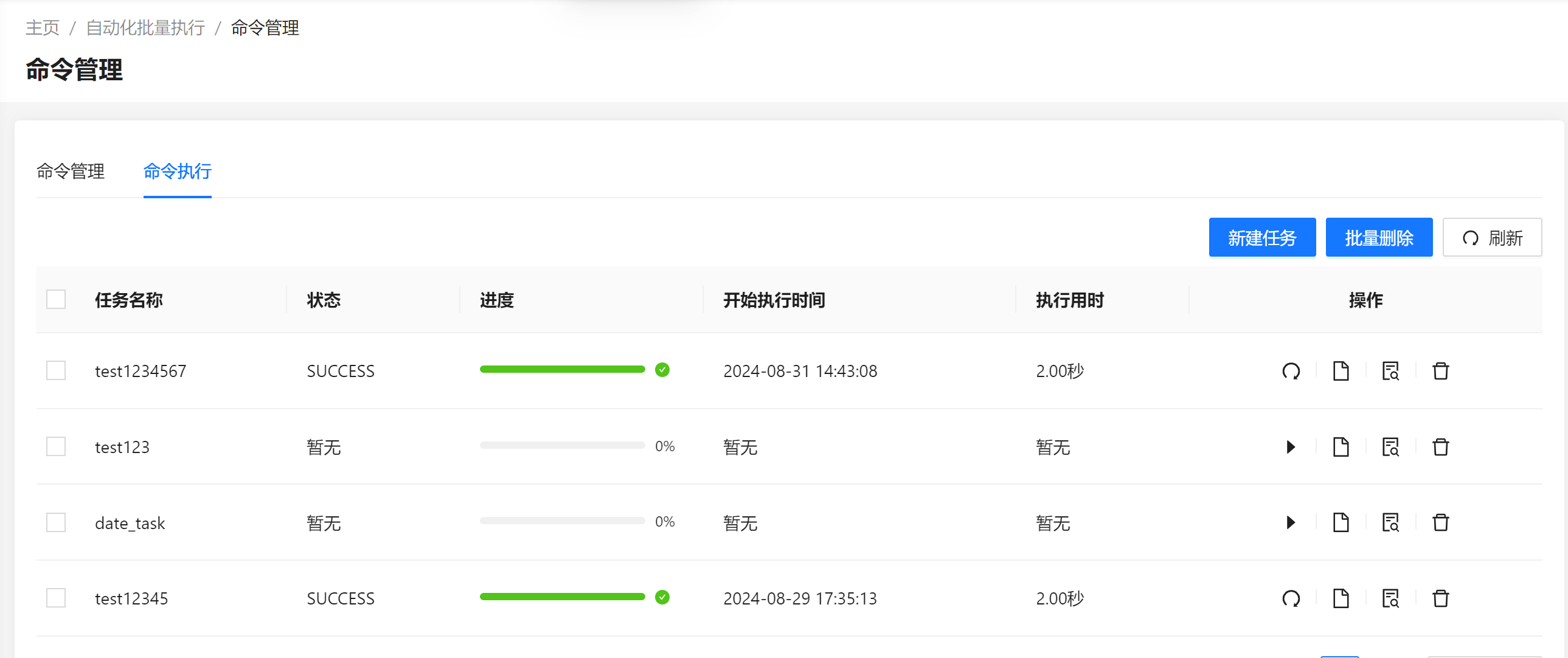 Viewing task results: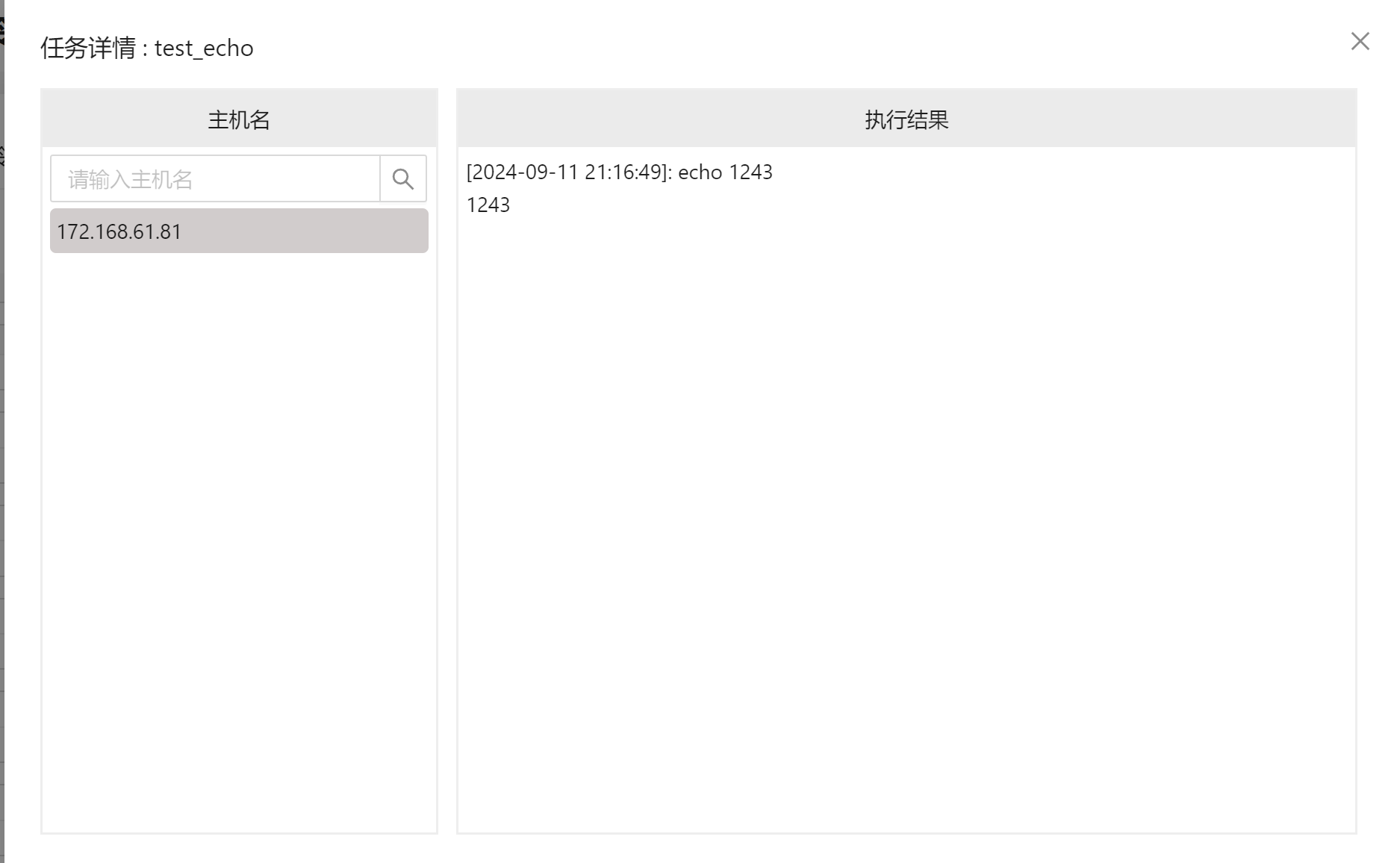
Script
The Scripts page contains three tabs: Script Management, Script Execution, and Operation Management.
Operation Management
To shield the impact of the OS architecture on script execution, the system abstracts the concept of operation. One operation corresponds to a group of scripts covering various architectures and operating systems. When a script is executed, select the host and the operation, and the system selects the corresponding script based on the OS and architecture of the host.
On the Operation Management page, you can add, delete, view, and modify operations:
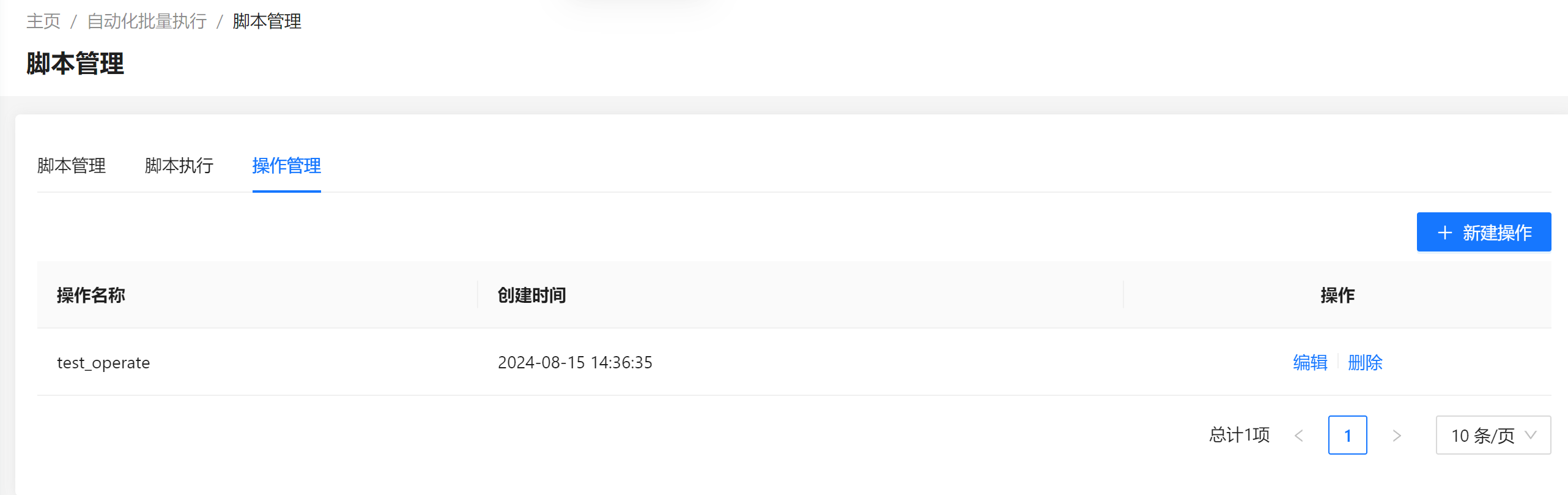
Script Management
On the Script Management page, you can upload, query, delete, and edit scripts: 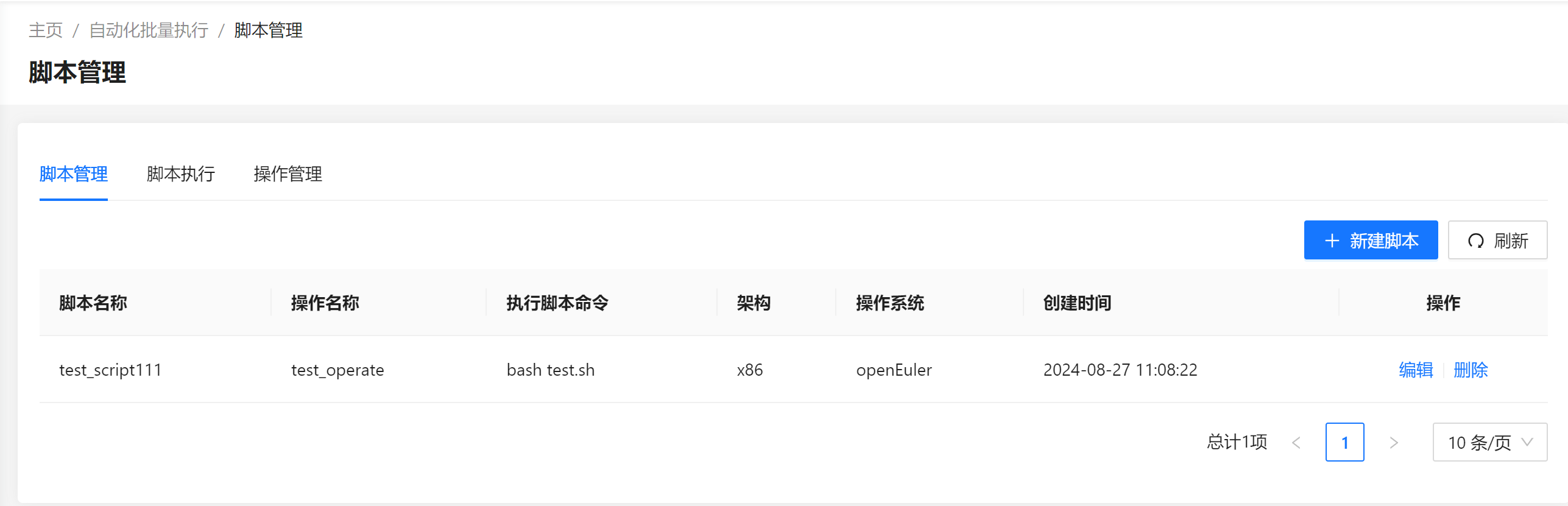 Creating a script: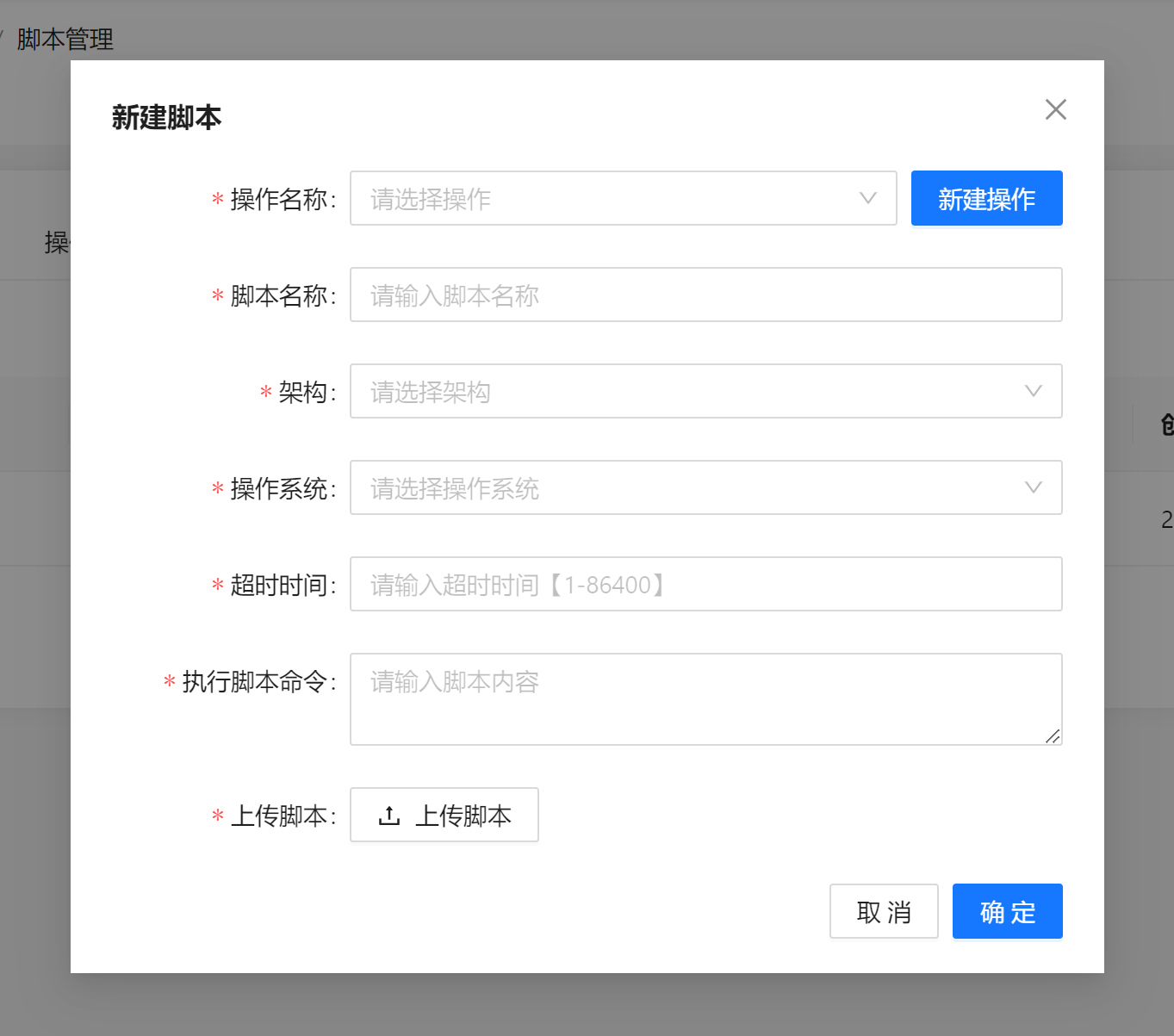
Script Execution
On the Script Execution page, you can create script execution tasks. A script task can be created only by selecting an operation to specify the corresponding script: 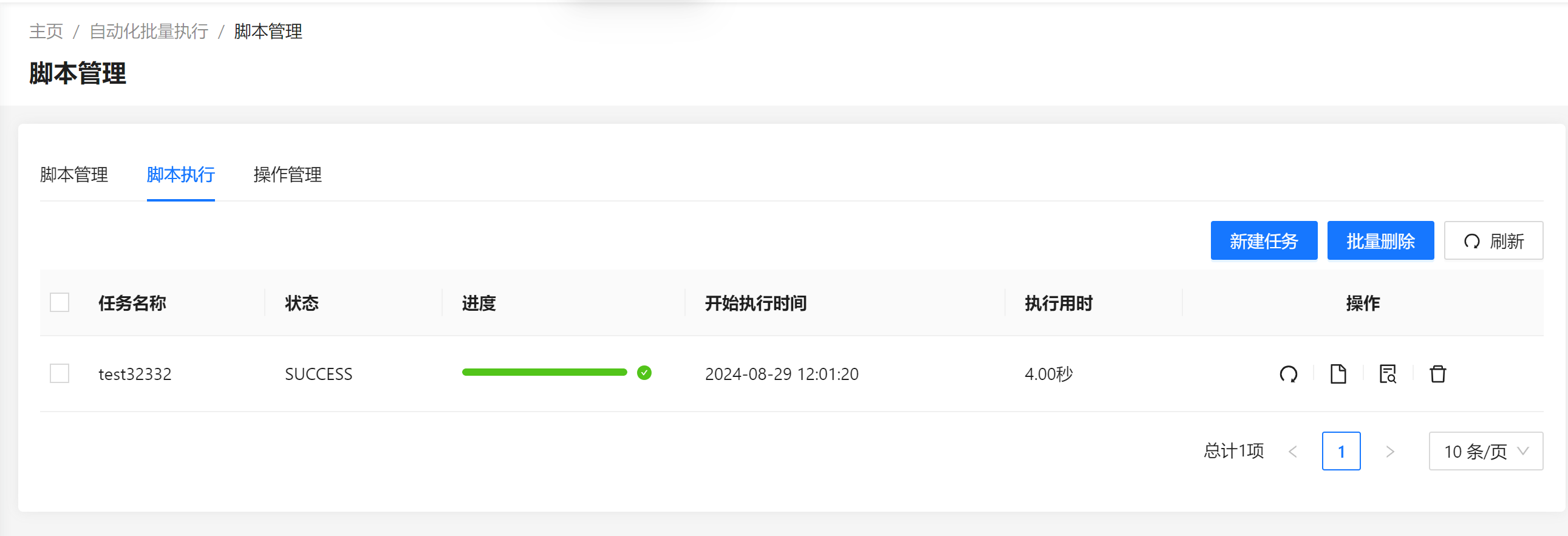 Creating a script task: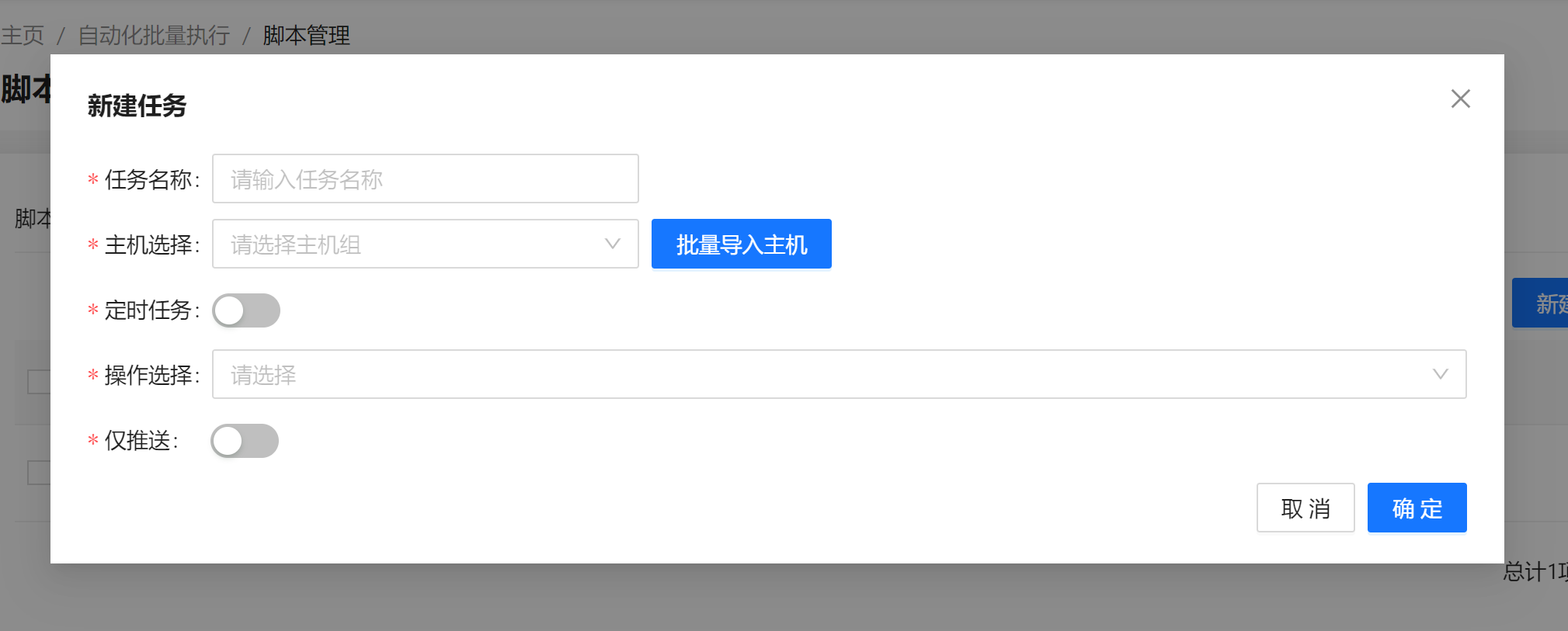
Scheduled Task
Scheduled tasks support one-time execution at a specified time and periodic execution. One-time execution: 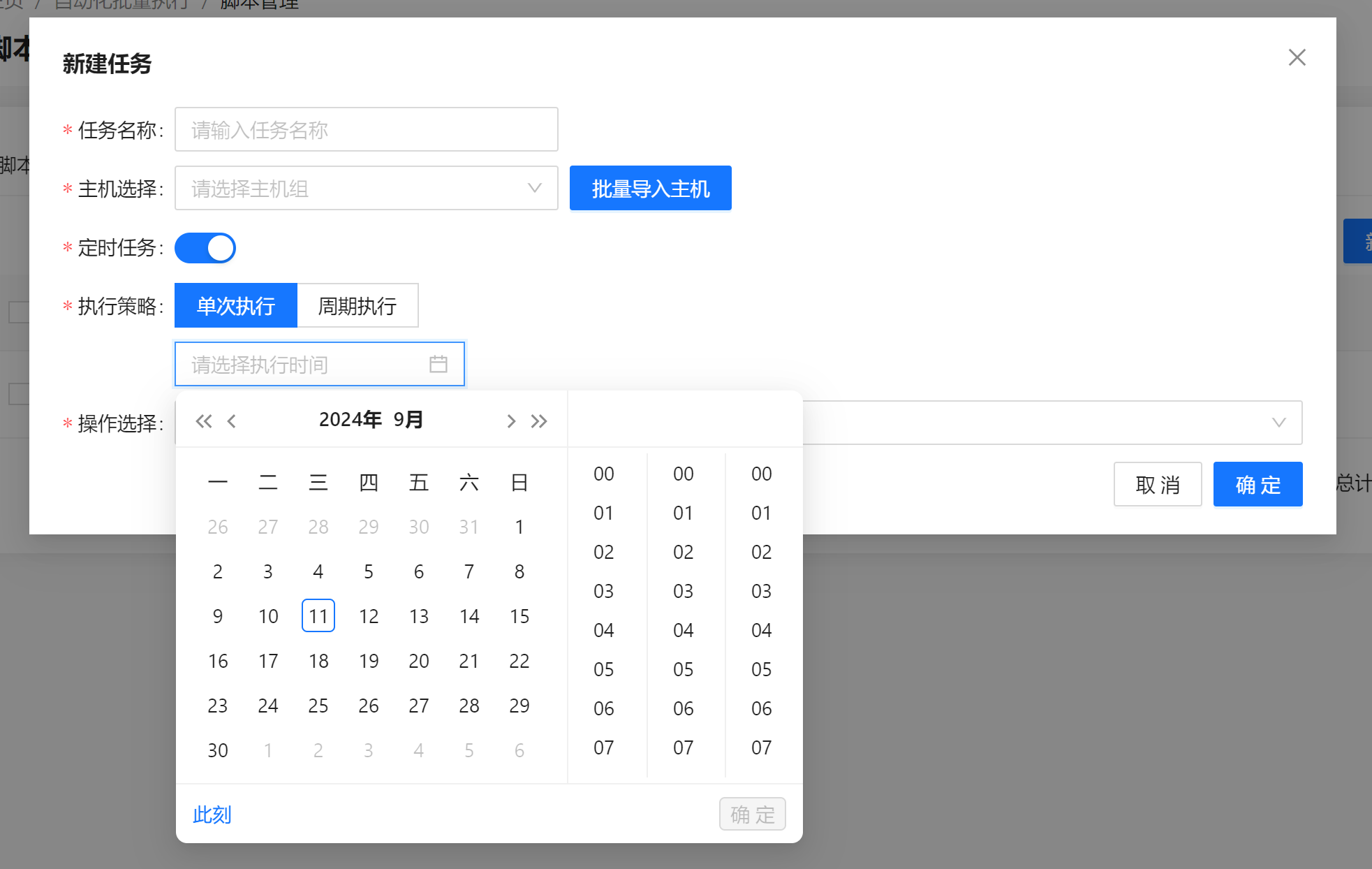 Periodic execution: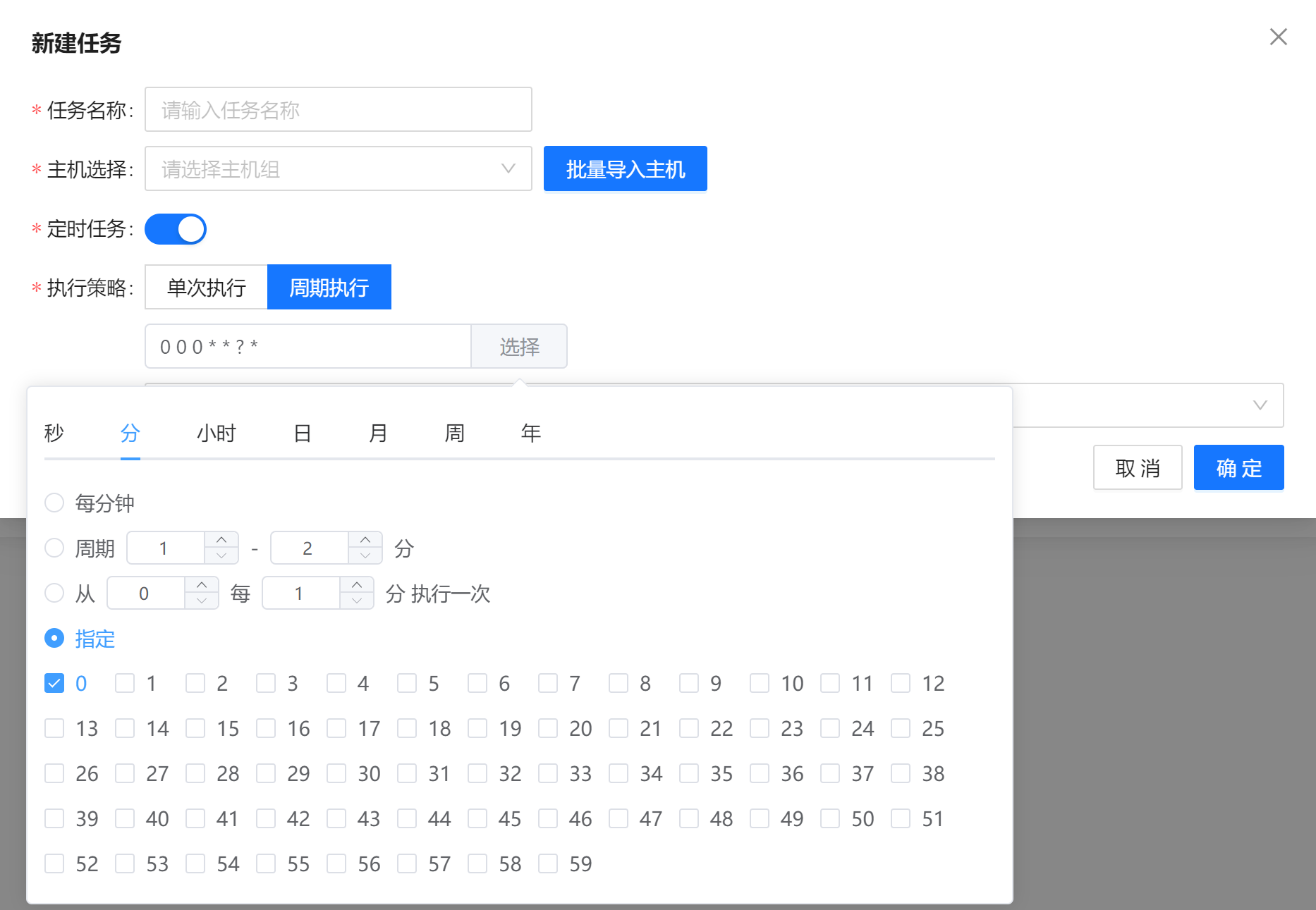
File Push
The file push function enables you to push scripts to a specified directory. Such tasks do not execute scripts, and file push tasks are mutually exclusive with scheduled tasks: 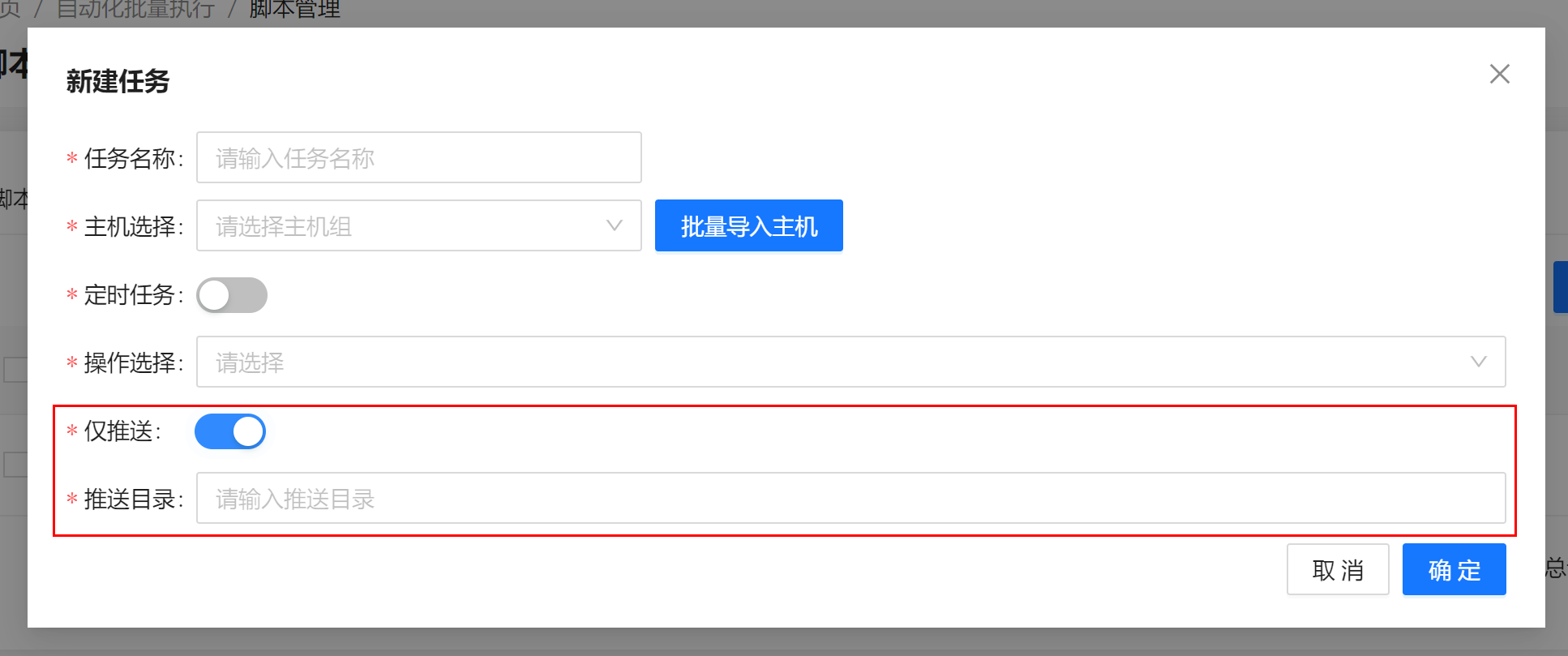
Licensed under the MulanPSL2
 J.G.W.A.B. No. 11030102011597